Back to Resources
10 Cold Email Tools: How to Choose Your Outbound Stack in 2026
Author
Stan Stojanovic
Date
December 6, 2024
Read time
7
min.


Last updated: October 16, 2026
The best cold email tools solve the bottleneck in your outbound process. A sending platform helps execute sequences. A data provider helps find contacts. A research tool helps decide which accounts deserve attention and what to say. Buying more of the first category will not automatically fix problems in the other two.
For a practical shortlist, compare Instantly and Smartlead for email campaign operations, Lemlist and Reply for broader engagement workflows, Apollo and Hunter for prospect data, and Twain for research and writing. Mailshake, Snov.io and GMass offer other combinations worth evaluating against your team's needs. These are workflow-based options, not a ranking based on an independent performance test.
Cold email tools compared by the job they do
| Tool | Role to evaluate | Question to test before buying |
|---|---|---|
| Instantly | Email outreach and reply operations | Can your team manage campaigns, suppression and replies across its mailboxes? |
| Smartlead | Email campaign and mailbox operations | Does the selected plan cover contacts, sends and client access? |
| Lemlist | Email and multichannel engagement | Which channels and seats does your actual workflow require? |
| Twain | Prospect research, qualification and writing | Can reviewers trace each personalized claim to evidence? |
| Apollo | Prospect intelligence and sales engagement | Does data coverage match your target roles and markets? |
| Mailshake | Email, phone and social outreach workflows | Can reps manage follow-up and ownership without extra administration? |
| Snov.io | Contact discovery, verification and outreach | Which discovery and verification allowances will you consume? |
| Hunter | Email discovery, verification and sequences | How many target contacts return usable, recently verified addresses? |
| Reply | Sales engagement and AI-assisted outreach | Which actions need approval, and how are replies handed to sales? |
| GMass | Campaigns composed in Gmail | Does a Gmail-centered workflow fit your reporting and team requirements? |
1. Instantly: evaluate email operations and the full bill
Instantly separates capabilities and allowances across its product offerings. Check what your purchase includes for outreach, data and CRM needs. A headline subscription price is not necessarily the cost of your complete stack.
During evaluation, import a small approved list, map your fields, test a reply and an unsubscribe, and check what reaches your CRM. The important question is whether the entire process works for the person operating it every day. Our Instantly versus Lemlist guide covers that narrower buying decision.
2. Smartlead: match capacity to the campaign
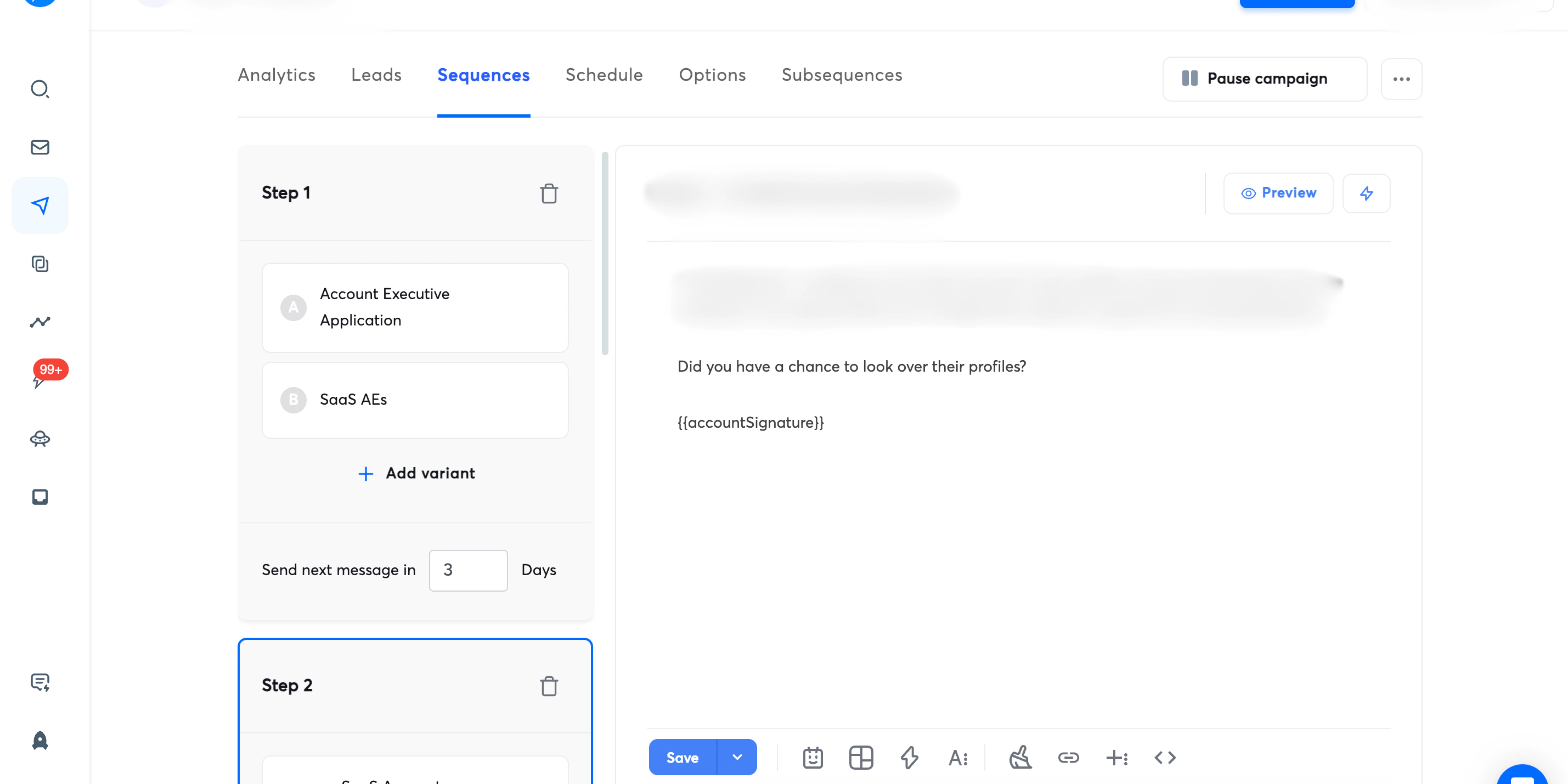
Smartlead's current plans distinguish contact capacity, email volume and other capabilities. Work out both the number of prospects you will retain and the number of planned messages, including follow-ups.
For example, 1,000 prospects with up to three messages creates a maximum of 3,000 campaign sends before early stops. That is a planning calculation, not a recommendation to send at a particular daily rate. Mailbox and provider constraints still apply. See our Smartlead plan guide for a fuller capacity checklist.
3. Lemlist: buy the channels you will operate
Lemlist offers email and multichannel options. Compare the plan against the people who need access and the channels they will actually manage.
Ask the operator to demonstrate a complete journey from first contact to reply handoff. A multichannel feature is useful only when someone owns the next action. Also review the destination platform's rules: LinkedIn prohibits certain third-party tools that scrape or automate activity. A vendor advertising automation does not establish that LinkedIn permits it.
4. Twain: assess research quality before writing quality
Twain describes research, qualification and message creation capabilities, with ways to connect to an existing GTM stack. Its role differs from simply adding another sending platform.
Test it on accounts with obvious evidence, sparse evidence and conflicting evidence. A polished email should still fail review if it invents a prospect's challenge. Ask reviewers to check the source, the inference and the commercial relevance separately.
5. Apollo: test coverage on your market
Apollo's intelligence offering supports prospect research and enrichment. Evaluate it using a representative sample of the companies and job functions you sell to.
Record how many contacts have the right current role, usable contact details and a valid company match. A large advertised database does not answer those questions for a narrow territory. Check overlap with data you already buy before adding another subscription.
6. Mailshake: assess the rep workflow
Mailshake offers email outreach alongside phone and social workflow capabilities. Include reply management, task ownership and reporting in your evaluation.
Have a rep work through a positive reply, a referral, an objection and an opt-out. The tool should make the correct next action clear. Compare administrative effort as well as campaign creation time.
7. Snov.io: calculate discovery and verification needs
Snov.io combines lead discovery, email verification and outreach features. That combination may simplify a stack, but check which actions consume credits and which capabilities require additional purchases.
Use your own list quality as the test. A verification result is a useful input to a send decision, not proof of permission to contact someone or a guarantee of inbox placement.
8. Hunter: evaluate email discovery and verification
Hunter provides domain search, email finding, verification and sequences. It is worth evaluating when the immediate problem is locating and checking business email addresses.
Keep the verification result and date alongside the address. Define how you treat uncertain results before exporting contacts into campaigns. Otherwise, different operators may make inconsistent decisions about the same data.
9. Reply: define where automation stops
Reply offers sales engagement and AI-assisted outreach options. Compare the workflow you need rather than assuming every plan includes the same capabilities.
Before purchase, specify which messages need approval, who handles ambiguous replies and how existing opportunities are excluded. For an agency, also check client separation, permissions and data export at the end of the engagement.
10. GMass: consider a Gmail-centered workflow
GMass supports campaigns composed in Gmail. That may suit a team that wants campaign work close to its inbox.
Test shared visibility, reporting and handoff before choosing it for a larger team. Familiarity with Gmail does not remove the need to check provider policies, sending configuration and suppression behavior.
Where Clay fits in a cold email stack
Clay can support the research and decision-making between a prospect source and a sending platform. Claygent Builder supports reusable agents for research, scoring and writing. Your workflow still needs explicit rules for missing evidence and failed checks.
A useful implementation starts with account fit, then enriches qualified rows, records evidence, checks exclusions and sends only approved records downstream. Retain a stable account or contact ID so that replies and outcomes can return to the correct record. Our Clay consulting agency page explains the implementation work behind these systems.
How much should you budget for cold email software?
Calculate the complete operating cost: outreach subscription, domains and mailboxes, data, verification, research credits, CRM access, setup and ongoing labor. Ask every vendor to price the same scenario, including seats, retained contacts, planned sends and required integrations.
Then compare cost per sales-accepted opportunity over a consistent period. Low subscription cost can be outweighed by manual cleanup. High automation spend can be wasted on an audience that does not fit your offer.
Questions to settle before you launch
Can any tool guarantee inbox placement?
No tool controls every receiving system or recipient response. Review authentication, data quality, relevance and complaint handling. Google's sender guidelines set requirements for mail sent to personal Gmail accounts, including additional requirements for bulk senders. Use our email deliverability guide to organize operational checks.
Should you buy software or hire a cold email agency?
Buy software when someone can own research, campaign operations, reply handling and measurement. Consider an agency when those responsibilities are the missing capability. Ask who owns the accounts, data, workflows and reporting, and what happens when the contract ends.
If you need help selecting and operating the stack, review frontBrick's cold email agency services. Start with your audience and operating needs, then choose the tools that support them.
Book Your Strategy Call Today
Want to see how frontBrick can help you generate qualified leads and fill your pipeline fast? Book your free strategy call now.
Book Strategy Call
Related Resources
See All Resources

%2520%257C%2520frontBrick.webp)