
In this guide
Stan's take: why warmup matters on LinkedIn
Most LinkedIn outreach fails in the first message. The prospect has never seen your name, the connection request looks like every other one that day, and the DM reads like a template.
Extrovert works on the part before the pitch. It follows the posts of the people you want to reach and helps you show up in their comments first, so the connection request and the first DM land warmer. That is the same principle we use in our own LinkedIn lead generation work: relevance and familiarity before the ask.
What Extrovert does

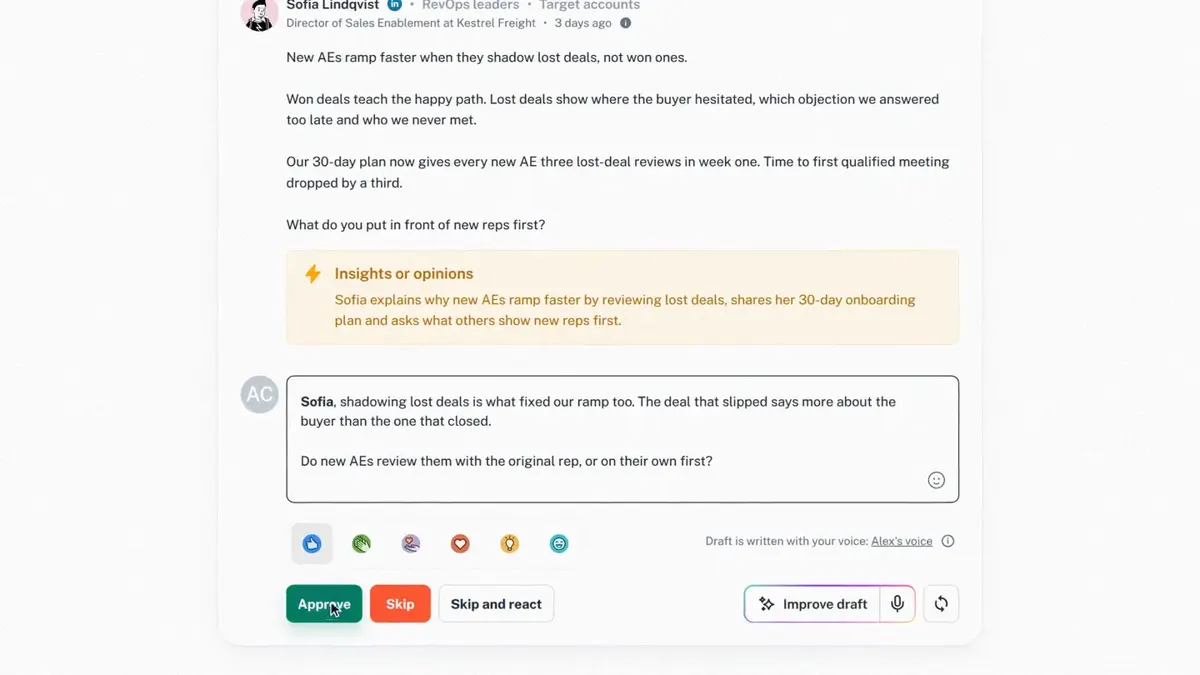
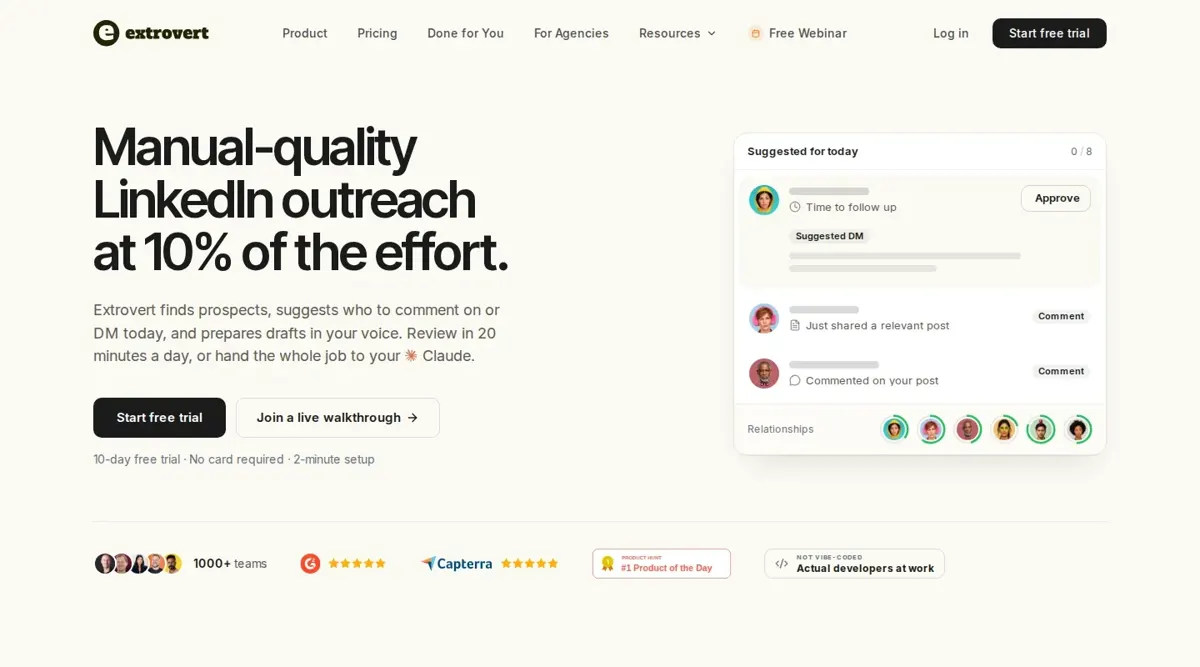
Extrovert warms up LinkedIn prospects before the first message. You add the people you want to reach, or find new ones with Lead Finder by role, company and location. Extrovert then follows their LinkedIn posts and shows who to engage today and why: they posted something relevant, they commented on your post, or a conversation went quiet.
For each prospect it drafts a comment, connection request or DM in your own voice. You review and send. You can also switch on Auto for first DMs and follow-ups, which stops as soon as the prospect replies.
The use cases and features that matter
| Use case | Feature | Why it helps |
|---|---|---|
| Get known before the pitch | Comment drafts on prospect posts | The prospect sees your name in a useful context first. |
| Decide who to engage today | Daily suggestions with a reason | You spend your 20 minutes on the right people, not the whole list. |
| Keep the voice personal | Drafts written in your voice | Comments and DMs read like you wrote them, because you approve them. |
| Find new prospects | Lead Finder by role, company and location | Build the tracked list inside the tool when you do not have one yet. |
| Spot warmer prospects | Intent Signals | Surface people engaging with a competitor, a chosen post or a tracked topic. |
| Follow up without nagging | Auto first DMs and follow-ups | Follow-ups stop on reply, so nobody gets a bump after they answered. |
| Run several clients | Multiple LinkedIn accounts in one workspace | Agencies can manage each client's account from one place. |
Feature references: Extrovert product overview and Extrovert pricing.
Where it fits in a LinkedIn outbound stack
Extrovert sits before and alongside a LinkedIn sequence, not instead of your targeting. A practical setup looks like this:
- Build and qualify the account and buyer list first, for example in Clay, so you only warm up people who fit your ICP.
- Add those people to Extrovert and spend a week or two commenting on what they post.
- Send the connection request once they have seen your name a few times.
- Hand accepted connections to your DM flow, either Extrovert's own follow-ups or a sequencer like HeyReach or lemlist if you also run email.
Keep one owner per prospect. If two tools can message the same person, they will, and that undoes the warmup.
Extrovert pricing
The pricing page, reviewed November 20, 2026, lists one plan at $49 per seat per month, billed monthly, with annual billing at two months free. One seat is one LinkedIn account, and teammates who do not need a LinkedIn account are free.
Each seat includes every feature, 250 tracked prospects, 1 topic and 300 Credits a month. Lead Finder costs 1 Credit per prospect, and Intent Signals cost more per prospect depending on the signal. Monthly Credits do not roll over, while one-time top-ups do. There is a 10-day free trial with no card required.
When you budget, count tracked prospects and Credits, not only seats. A campaign that tracks 1,000 people needs more than one seat's 250 prospects.
What to test in a pilot
- Pick 50 to 100 ICP-fit prospects who post at least occasionally. Warmup does nothing for people who never post.
- Review every draft for the first week and edit what does not sound like you.
- Track connection acceptance and reply rate against a cold control group.
- Check that follow-ups really stop on reply.
- Measure the time you spend each day. Extrovert says reviewing the day's suggestions takes about 20 minutes.
Implementation and handover
frontBrick can help define the target list, connect warmup to your sequencer and CRM, and document how your team runs it day to day. Extrovert also lists independent agencies on its Done for You page that set the tool up or run it for you. Implementation pricing is custom. Talk to Stan in a complimentary discovery call.
Buyer questions about Extrovert
What is Extrovert?
Extrovert is a LinkedIn engagement tool. It follows your prospects' posts, suggests who to engage today and drafts comments, connection requests and DMs in your voice for you to review and send.
Does Extrovert send messages automatically?
Only if you want it to. By default you review and send. You can switch on Auto for first DMs and follow-ups, and those stop when the prospect replies.
How much does Extrovert cost?
The plan is $49 per seat per month, billed monthly, as of November 20, 2026. A seat is one LinkedIn account and includes 250 tracked prospects, 1 topic and 300 Credits a month. Check the pricing page for current terms.
Is there a free trial?
Yes. Extrovert offers a 10-day free trial with no card required.
Can agencies use Extrovert for clients?
Yes. You can run several clients' LinkedIn accounts from one workspace. Keep each client's prospects, voice and approvals separate.
Does Extrovert replace a LinkedIn sequencer?
Not necessarily. It covers the warmup and can handle first DMs and follow-ups. Teams that already run multichannel sequences can use it before the sequence and hand over accepted connections.